---
title: Preview Card
subtitle: A popup that appears when a link is hovered, showing a preview for sighted users.
description: A high-quality, unstyled React preview card component that appears when a link is hovered, showing a preview for sighted users.
---

# Preview Card

<Meta name="description" content="A high-quality, unstyled React preview card component that appears when a link is hovered, showing a preview for sighted users." />

## Demo

### Tailwind

This example shows how to implement the component using Tailwind CSS.

```tsx
/* index.tsx */
import * as React from 'react';
import { PreviewCard } from '@base-ui/react/preview-card';

export default function ExamplePreviewCard() {
  return (
    <PreviewCard.Root>
      <p className="m-0 text-base leading-6 text-gray-900 text-balance">
        The principles of good{' '}
        <PreviewCard.Trigger
          className="text-blue-800 no-underline decoration-blue-800/60 decoration-1 underline-offset-2 outline-0 hover:underline data-[popup-open]:underline focus-visible:rounded-[2px] focus-visible:no-underline focus-visible:outline focus-visible:outline-2 focus-visible:outline-blue-800"
          href="https://en.wikipedia.org/wiki/Typography"
        >
          typography
        </PreviewCard.Trigger>{' '}
        remain in the digital age.
      </p>

      <PreviewCard.Portal>
        <PreviewCard.Positioner sideOffset={8}>
          <PreviewCard.Popup className="box-border w-[var(--popup-width,auto)] h-[var(--popup-height,auto)] rounded-lg bg-[canvas] origin-[var(--transform-origin)] transition-[scale,opacity] duration-150 data-[starting-style]:scale-90 data-[starting-style]:opacity-0 data-[ending-style]:scale-90 data-[ending-style]:opacity-0 shadow-lg shadow-gray-200 outline outline-1 outline-gray-200 dark:shadow-none dark:outline-gray-300 dark:-outline-offset-1">
            <PreviewCard.Arrow className="flex data-[side=bottom]:top-[-8px] data-[side=left]:right-[-13px] data-[side=left]:rotate-90 data-[side=right]:left-[-13px] data-[side=right]:-rotate-90 data-[side=top]:bottom-[-8px] data-[side=top]:rotate-180">
              <ArrowSvg />
            </PreviewCard.Arrow>
            <div className="w-min flex flex-col gap-2 p-2 box-border">
              <img
                width="224"
                height="150"
                className="block rounded-sm max-w-none"
                src="https://images.unsplash.com/photo-1619615391095-dfa29e1672ef?q=80&w=448&h=300"
                alt="Station Hofplein signage in Rotterdam, Netherlands"
              />
              <p className="m-0 text-sm leading-5 text-gray-900 text-pretty">
                <strong>Typography</strong> is the art and science of arranging type to make written
                language clear, visually appealing, and effective in communication.
              </p>
            </div>
          </PreviewCard.Popup>
        </PreviewCard.Positioner>
      </PreviewCard.Portal>
    </PreviewCard.Root>
  );
}

function ArrowSvg(props: React.ComponentProps<'svg'>) {
  return (
    <svg width="20" height="10" viewBox="0 0 20 10" fill="none" {...props}>
      <path
        d="M9.66437 2.60207L4.80758 6.97318C4.07308 7.63423 3.11989 8 2.13172 8H0V10H20V8H18.5349C17.5468 8 16.5936 7.63423 15.8591 6.97318L11.0023 2.60207C10.622 2.2598 10.0447 2.25979 9.66437 2.60207Z"
        className="fill-[canvas]"
      />
      <path
        d="M8.99542 1.85876C9.75604 1.17425 10.9106 1.17422 11.6713 1.85878L16.5281 6.22989C17.0789 6.72568 17.7938 7.00001 18.5349 7.00001L15.89 7L11.0023 2.60207C10.622 2.2598 10.0447 2.2598 9.66436 2.60207L4.77734 7L2.13171 7.00001C2.87284 7.00001 3.58774 6.72568 4.13861 6.22989L8.99542 1.85876Z"
        className="fill-gray-200 dark:fill-none"
      />
      <path
        d="M10.3333 3.34539L5.47654 7.71648C4.55842 8.54279 3.36693 9 2.13172 9H0V8H2.13172C3.11989 8 4.07308 7.63423 4.80758 6.97318L9.66437 2.60207C10.0447 2.25979 10.622 2.2598 11.0023 2.60207L15.8591 6.97318C16.5936 7.63423 17.5468 8 18.5349 8H20V9H18.5349C17.2998 9 16.1083 8.54278 15.1901 7.71648L10.3333 3.34539Z"
        className="dark:fill-gray-300"
      />
    </svg>
  );
}
```

### CSS Modules

This example shows how to implement the component using CSS Modules.

```tsx
/* index.tsx */
import * as React from 'react';
import { PreviewCard } from '@base-ui/react/preview-card';
import styles from './demos.module.css';

export default function ExamplePreviewCard() {
  return (
    <PreviewCard.Root>
      <p className={styles.Paragraph}>
        The principles of good{' '}
        <PreviewCard.Trigger
          className={styles.Link}
          href="https://en.wikipedia.org/wiki/Typography"
        >
          typography
        </PreviewCard.Trigger>{' '}
        remain in the digital age.
      </p>

      <PreviewCard.Portal>
        <PreviewCard.Positioner sideOffset={8}>
          <PreviewCard.Popup className={styles.Popup}>
            <PreviewCard.Arrow className={styles.Arrow}>
              <ArrowSvg />
            </PreviewCard.Arrow>
            <div className={styles.PopupContent}>
              <img
                width="224"
                height="150"
                className={styles.Image}
                src="https://images.unsplash.com/photo-1619615391095-dfa29e1672ef?q=80&w=448&h=300"
                alt="Station Hofplein signage in Rotterdam, Netherlands"
              />
              <p className={styles.Summary}>
                <strong>Typography</strong> is the art and science of arranging type to make written
                language clear, visually appealing, and effective in communication.
              </p>
            </div>
          </PreviewCard.Popup>
        </PreviewCard.Positioner>
      </PreviewCard.Portal>
    </PreviewCard.Root>
  );
}

function ArrowSvg(props: React.ComponentProps<'svg'>) {
  return (
    <svg width="20" height="10" viewBox="0 0 20 10" fill="none" {...props}>
      <path
        d="M9.66437 2.60207L4.80758 6.97318C4.07308 7.63423 3.11989 8 2.13172 8H0V10H20V8H18.5349C17.5468 8 16.5936 7.63423 15.8591 6.97318L11.0023 2.60207C10.622 2.2598 10.0447 2.25979 9.66437 2.60207Z"
        className={styles.ArrowFill}
      />
      <path
        d="M8.99542 1.85876C9.75604 1.17425 10.9106 1.17422 11.6713 1.85878L16.5281 6.22989C17.0789 6.72568 17.7938 7.00001 18.5349 7.00001L15.89 7L11.0023 2.60207C10.622 2.2598 10.0447 2.2598 9.66436 2.60207L4.77734 7L2.13171 7.00001C2.87284 7.00001 3.58774 6.72568 4.13861 6.22989L8.99542 1.85876Z"
        className={styles.ArrowOuterStroke}
      />
      <path
        d="M10.3333 3.34539L5.47654 7.71648C4.55842 8.54279 3.36693 9 2.13172 9H0V8H2.13172C3.11989 8 4.07308 7.63423 4.80758 6.97318L9.66437 2.60207C10.0447 2.25979 10.622 2.2598 11.0023 2.60207L15.8591 6.97318C16.5936 7.63423 17.5468 8 18.5349 8H20V9H18.5349C17.2998 9 16.1083 8.54278 15.1901 7.71648L10.3333 3.34539Z"
        className={styles.ArrowInnerStroke}
      />
    </svg>
  );
}
```

```css
/* demos.module.css */
.Positioner {
  height: var(--positioner-height);
  width: var(--positioner-width);
  max-width: var(--available-width);
}

.Popup {
  box-sizing: border-box;
  width: var(--popup-width, auto);
  height: var(--popup-height, auto);
  border-radius: 0.5rem;
  background-color: canvas;
  transform-origin: var(--transform-origin);
  transition:
    transform 150ms,
    opacity 150ms;

  &[data-starting-style],
  &[data-ending-style] {
    opacity: 0;
    transform: scale(0.9);
  }

  @media (prefers-color-scheme: light) {
    outline: 1px solid var(--color-gray-200);
    box-shadow:
      0 10px 15px -3px var(--color-gray-200),
      0 4px 6px -4px var(--color-gray-200);
  }

  @media (prefers-color-scheme: dark) {
    outline: 1px solid var(--color-gray-300);
    outline-offset: -1px;
  }
}

.Arrow {
  display: flex;

  &[data-side='top'] {
    bottom: -8px;
    rotate: 180deg;
  }

  &[data-side='bottom'] {
    top: -8px;
    rotate: 0deg;
  }

  &[data-side='left'] {
    right: -13px;
    rotate: 90deg;
  }

  &[data-side='right'] {
    left: -13px;
    rotate: -90deg;
  }
}

.ArrowFill {
  fill: canvas;
}

.ArrowOuterStroke {
  @media (prefers-color-scheme: light) {
    fill: var(--color-gray-200);
  }
}

.ArrowInnerStroke {
  @media (prefers-color-scheme: dark) {
    fill: var(--color-gray-300);
  }
}

.PopupContent {
  width: min-content;
  display: flex;
  flex-direction: column;
  gap: 0.5rem;
  padding: 0.5rem;
  box-sizing: border-box;
}

.Image {
  display: block;
  border-radius: 0.25rem;
  max-width: none;
}

.Summary {
  margin: 0;
  font-size: 0.875rem;
  line-height: 1.25rem;
  color: var(--color-gray-900);
  text-wrap: pretty;
}

.Container {
  display: flex;
  gap: 0.5rem;
  flex-wrap: wrap;
  justify-content: center;
  align-items: baseline;
}

.Paragraph {
  margin: 0;
  font-size: 1rem;
  line-height: 1.5rem;
  color: var(--color-gray-900);
  text-wrap: balance;
}

.Link {
  outline: 0;
  color: var(--color-blue);
  text-decoration-line: none;
  text-decoration-thickness: 1px;
  text-decoration-color: color-mix(in oklab, var(--color-blue), transparent 40%);
  text-underline-offset: 2px;

  @media (hover: hover) {
    &:hover {
      text-decoration-line: underline;
    }
  }

  &[data-popup-open] {
    text-decoration-line: underline;
  }

  &:focus-visible {
    border-radius: 0.125rem;
    outline: 2px solid var(--color-blue);
    text-decoration-line: none;
  }
}

.LinkGroup {
  display: flex;
  flex-wrap: wrap;
  gap: 0.25rem;
  align-items: baseline;
}

.Button {
  box-sizing: border-box;
  display: flex;
  align-items: center;
  justify-content: center;
  height: 2.5rem;
  padding: 0 0.875rem;
  margin: 0;
  outline: 0;
  border: 1px solid var(--color-gray-200);
  border-radius: 0.375rem;
  background-color: var(--color-gray-50);
  font-family: inherit;
  font-size: 1rem;
  font-weight: 500;
  line-height: 1.5rem;
  color: var(--color-gray-900);
  user-select: none;

  @media (hover: hover) {
    &:hover {
      background-color: var(--color-gray-100);
    }
  }

  &:active {
    background-color: var(--color-gray-100);
  }

  &:focus-visible {
    outline: 2px solid var(--color-blue);
    outline-offset: -1px;
  }
}
```

## Anatomy

Import the component and assemble its parts:

```jsx title="Anatomy"
import { PreviewCard } from '@base-ui/react/preview-card';

<PreviewCard.Root>
  <PreviewCard.Trigger />
  <PreviewCard.Portal>
    <PreviewCard.Backdrop />
    <PreviewCard.Positioner>
      <PreviewCard.Popup>
        <PreviewCard.Arrow />
      </PreviewCard.Popup>
    </PreviewCard.Positioner>
  </PreviewCard.Portal>
</PreviewCard.Root>;
```

## Examples

### Detached triggers

A preview card can be controlled by a trigger located either inside or outside the `<PreviewCard.Root>` component.
For simple, one-off interactions, place the `<PreviewCard.Trigger>` inside `<PreviewCard.Root>`, as shown in the example at the top of this page.

However, if defining the preview card's content next to its trigger is not practical, you can use a detached trigger.
This involves placing the `<PreviewCard.Trigger>` outside of `<PreviewCard.Root>` and linking them with a `handle` created by the `PreviewCard.createHandle()` function.

```jsx title="Detached triggers" {3,5} "handle={demoPreviewCard}"
const demoPreviewCard = PreviewCard.createHandle();

<PreviewCard.Trigger handle={demoPreviewCard} href="#">
  Link
</PreviewCard.Trigger>

<PreviewCard.Root handle={demoPreviewCard}>
  ...
</PreviewCard.Root>
```

## Demo

### Tailwind

This example shows how to implement the component using Tailwind CSS.

```tsx
/* index.tsx */
'use client';
import * as React from 'react';
import { PreviewCard } from '@base-ui/react/preview-card';

const demoPreviewCard = PreviewCard.createHandle();

export default function PreviewCardDetachedTriggersSimpleDemo() {
  return (
    <div>
      <p className="m-0 text-base leading-6 text-gray-900 text-balance">
        The principles of good{' '}
        <PreviewCard.Trigger
          className="text-blue-800 no-underline decoration-blue-800/60 decoration-1 underline-offset-2 outline-0 hover:underline data-[popup-open]:underline focus-visible:rounded-[2px] focus-visible:no-underline focus-visible:outline focus-visible:outline-2 focus-visible:outline-blue-800"
          handle={demoPreviewCard}
          href="https://en.wikipedia.org/wiki/Typography"
        >
          typography
        </PreviewCard.Trigger>{' '}
        remain in the digital age.
      </p>

      <PreviewCard.Root handle={demoPreviewCard}>
        <PreviewCard.Portal>
          <PreviewCard.Positioner sideOffset={8}>
            <PreviewCard.Popup className="box-border w-[var(--popup-width,auto)] h-[var(--popup-height,auto)] rounded-lg bg-[canvas] origin-[var(--transform-origin)] transition-[scale,opacity] duration-150 data-[starting-style]:scale-90 data-[starting-style]:opacity-0 data-[ending-style]:scale-90 data-[ending-style]:opacity-0 shadow-lg shadow-gray-200 outline outline-1 outline-gray-200 dark:shadow-none dark:outline-gray-300 dark:-outline-offset-1">
              <PreviewCard.Arrow className="flex data-[side=bottom]:top-[-8px] data-[side=left]:right-[-13px] data-[side=left]:rotate-90 data-[side=right]:left-[-13px] data-[side=right]:-rotate-90 data-[side=top]:bottom-[-8px] data-[side=top]:rotate-180">
                <ArrowSvg />
              </PreviewCard.Arrow>
              <div className="w-min flex flex-col gap-2 p-2 box-border">
                <img
                  width="224"
                  height="150"
                  className="block rounded-sm max-w-none"
                  src="https://images.unsplash.com/photo-1619615391095-dfa29e1672ef?q=80&w=448&h=300"
                  alt="Station Hofplein signage in Rotterdam, Netherlands"
                />
                <p className="m-0 text-sm leading-5 text-gray-900 text-pretty">
                  <strong>Typography</strong> is the art and science of arranging type to make
                  written language clear, visually appealing, and effective in communication.
                </p>
              </div>
            </PreviewCard.Popup>
          </PreviewCard.Positioner>
        </PreviewCard.Portal>
      </PreviewCard.Root>
    </div>
  );
}

function ArrowSvg(props: React.ComponentProps<'svg'>) {
  return (
    <svg width="20" height="10" viewBox="0 0 20 10" fill="none" {...props}>
      <path
        d="M9.66437 2.60207L4.80758 6.97318C4.07308 7.63423 3.11989 8 2.13172 8H0V10H20V8H18.5349C17.5468 8 16.5936 7.63423 15.8591 6.97318L11.0023 2.60207C10.622 2.2598 10.0447 2.25979 9.66437 2.60207Z"
        className="fill-[canvas]"
      />
      <path
        d="M8.99542 1.85876C9.75604 1.17425 10.9106 1.17422 11.6713 1.85878L16.5281 6.22989C17.0789 6.72568 17.7938 7.00001 18.5349 7.00001L15.89 7L11.0023 2.60207C10.622 2.2598 10.0447 2.2598 9.66436 2.60207L4.77734 7L2.13171 7.00001C2.87284 7.00001 3.58774 6.72568 4.13861 6.22989L8.99542 1.85876Z"
        className="fill-gray-200 dark:fill-none"
      />
      <path
        d="M10.3333 3.34539L5.47654 7.71648C4.55842 8.54279 3.36693 9 2.13172 9H0V8H2.13172C3.11989 8 4.07308 7.63423 4.80758 6.97318L9.66437 2.60207C10.0447 2.25979 10.622 2.2598 11.0023 2.60207L15.8591 6.97318C16.5936 7.63423 17.5468 8 18.5349 8H20V9H18.5349C17.2998 9 16.1083 8.54278 15.1901 7.71648L10.3333 3.34539Z"
        className="dark:fill-gray-300"
      />
    </svg>
  );
}
```

### CSS Modules

This example shows how to implement the component using CSS Modules.

```tsx
/* index.tsx */
'use client';
import * as React from 'react';
import { PreviewCard } from '@base-ui/react/preview-card';
import styles from './demos.module.css';

const demoPreviewCard = PreviewCard.createHandle();

export default function PreviewCardDetachedTriggersSimpleDemo() {
  return (
    <div>
      <p className={styles.Paragraph}>
        The principles of good{' '}
        <PreviewCard.Trigger
          className={styles.Link}
          handle={demoPreviewCard}
          href="https://en.wikipedia.org/wiki/Typography"
        >
          typography
        </PreviewCard.Trigger>{' '}
        remain in the digital age.
      </p>

      <PreviewCard.Root handle={demoPreviewCard}>
        <PreviewCard.Portal>
          <PreviewCard.Positioner sideOffset={8}>
            <PreviewCard.Popup className={styles.Popup}>
              <PreviewCard.Arrow className={styles.Arrow}>
                <ArrowSvg />
              </PreviewCard.Arrow>
              <div className={styles.PopupContent}>
                <img
                  width="224"
                  height="150"
                  className={styles.Image}
                  src="https://images.unsplash.com/photo-1619615391095-dfa29e1672ef?q=80&w=448&h=300"
                  alt="Station Hofplein signage in Rotterdam, Netherlands"
                />
                <p className={styles.Summary}>
                  <strong>Typography</strong> is the art and science of arranging type to make
                  written language clear, visually appealing, and effective in communication.
                </p>
              </div>
            </PreviewCard.Popup>
          </PreviewCard.Positioner>
        </PreviewCard.Portal>
      </PreviewCard.Root>
    </div>
  );
}

function ArrowSvg(props: React.ComponentProps<'svg'>) {
  return (
    <svg width="20" height="10" viewBox="0 0 20 10" fill="none" {...props}>
      <path
        d="M9.66437 2.60207L4.80758 6.97318C4.07308 7.63423 3.11989 8 2.13172 8H0V10H20V8H18.5349C17.5468 8 16.5936 7.63423 15.8591 6.97318L11.0023 2.60207C10.622 2.2598 10.0447 2.25979 9.66437 2.60207Z"
        className={styles.ArrowFill}
      />
      <path
        d="M8.99542 1.85876C9.75604 1.17425 10.9106 1.17422 11.6713 1.85878L16.5281 6.22989C17.0789 6.72568 17.7938 7.00001 18.5349 7.00001L15.89 7L11.0023 2.60207C10.622 2.2598 10.0447 2.2598 9.66436 2.60207L4.77734 7L2.13171 7.00001C2.87284 7.00001 3.58774 6.72568 4.13861 6.22989L8.99542 1.85876Z"
        className={styles.ArrowOuterStroke}
      />
      <path
        d="M10.3333 3.34539L5.47654 7.71648C4.55842 8.54279 3.36693 9 2.13172 9H0V8H2.13172C3.11989 8 4.07308 7.63423 4.80758 6.97318L9.66437 2.60207C10.0447 2.25979 10.622 2.2598 11.0023 2.60207L15.8591 6.97318C16.5936 7.63423 17.5468 8 18.5349 8H20V9H18.5349C17.2998 9 16.1083 8.54278 15.1901 7.71648L10.3333 3.34539Z"
        className={styles.ArrowInnerStroke}
      />
    </svg>
  );
}
```

```css
/* demos.module.css */
.Positioner {
  height: var(--positioner-height);
  width: var(--positioner-width);
  max-width: var(--available-width);
}

.Popup {
  box-sizing: border-box;
  width: var(--popup-width, auto);
  height: var(--popup-height, auto);
  border-radius: 0.5rem;
  background-color: canvas;
  transform-origin: var(--transform-origin);
  transition:
    transform 150ms,
    opacity 150ms;

  &[data-starting-style],
  &[data-ending-style] {
    opacity: 0;
    transform: scale(0.9);
  }

  @media (prefers-color-scheme: light) {
    outline: 1px solid var(--color-gray-200);
    box-shadow:
      0 10px 15px -3px var(--color-gray-200),
      0 4px 6px -4px var(--color-gray-200);
  }

  @media (prefers-color-scheme: dark) {
    outline: 1px solid var(--color-gray-300);
    outline-offset: -1px;
  }
}

.Arrow {
  display: flex;

  &[data-side='top'] {
    bottom: -8px;
    rotate: 180deg;
  }

  &[data-side='bottom'] {
    top: -8px;
    rotate: 0deg;
  }

  &[data-side='left'] {
    right: -13px;
    rotate: 90deg;
  }

  &[data-side='right'] {
    left: -13px;
    rotate: -90deg;
  }
}

.ArrowFill {
  fill: canvas;
}

.ArrowOuterStroke {
  @media (prefers-color-scheme: light) {
    fill: var(--color-gray-200);
  }
}

.ArrowInnerStroke {
  @media (prefers-color-scheme: dark) {
    fill: var(--color-gray-300);
  }
}

.PopupContent {
  width: min-content;
  display: flex;
  flex-direction: column;
  gap: 0.5rem;
  padding: 0.5rem;
  box-sizing: border-box;
}

.Image {
  display: block;
  border-radius: 0.25rem;
  max-width: none;
}

.Summary {
  margin: 0;
  font-size: 0.875rem;
  line-height: 1.25rem;
  color: var(--color-gray-900);
  text-wrap: pretty;
}

.Container {
  display: flex;
  gap: 0.5rem;
  flex-wrap: wrap;
  justify-content: center;
  align-items: baseline;
}

.Paragraph {
  margin: 0;
  font-size: 1rem;
  line-height: 1.5rem;
  color: var(--color-gray-900);
  text-wrap: balance;
}

.Link {
  outline: 0;
  color: var(--color-blue);
  text-decoration-line: none;
  text-decoration-thickness: 1px;
  text-decoration-color: color-mix(in oklab, var(--color-blue), transparent 40%);
  text-underline-offset: 2px;

  @media (hover: hover) {
    &:hover {
      text-decoration-line: underline;
    }
  }

  &[data-popup-open] {
    text-decoration-line: underline;
  }

  &:focus-visible {
    border-radius: 0.125rem;
    outline: 2px solid var(--color-blue);
    text-decoration-line: none;
  }
}

.LinkGroup {
  display: flex;
  flex-wrap: wrap;
  gap: 0.25rem;
  align-items: baseline;
}

.Button {
  box-sizing: border-box;
  display: flex;
  align-items: center;
  justify-content: center;
  height: 2.5rem;
  padding: 0 0.875rem;
  margin: 0;
  outline: 0;
  border: 1px solid var(--color-gray-200);
  border-radius: 0.375rem;
  background-color: var(--color-gray-50);
  font-family: inherit;
  font-size: 1rem;
  font-weight: 500;
  line-height: 1.5rem;
  color: var(--color-gray-900);
  user-select: none;

  @media (hover: hover) {
    &:hover {
      background-color: var(--color-gray-100);
    }
  }

  &:active {
    background-color: var(--color-gray-100);
  }

  &:focus-visible {
    outline: 2px solid var(--color-blue);
    outline-offset: -1px;
  }
}
```

### Multiple triggers

A single preview card can be opened by multiple trigger elements.
You can achieve this by using the same `handle` for several detached triggers, or by placing multiple `<PreviewCard.Trigger>` components inside a single `<PreviewCard.Root>`.

```jsx title="Multiple triggers within the Root part"
<PreviewCard.Root>
  <PreviewCard.Trigger href="#">Trigger 1</PreviewCard.Trigger>
  <PreviewCard.Trigger href="#">Trigger 2</PreviewCard.Trigger>
  ...
</PreviewCard.Root>
```

```jsx title="Multiple detached triggers"
const demoPreviewCard = PreviewCard.createHandle();

<PreviewCard.Trigger handle={demoPreviewCard} href="#">
  Trigger 1
</PreviewCard.Trigger>

<PreviewCard.Trigger handle={demoPreviewCard} href="#">
  Trigger 2
</PreviewCard.Trigger>

<PreviewCard.Root handle={demoPreviewCard}>
  ...
</PreviewCard.Root>
```

The preview card can render different content depending on which trigger opened it.
This is achieved by passing a `payload` to the `<PreviewCard.Trigger>` and using the function-as-a-child pattern in `<PreviewCard.Root>`.

The payload can be strongly typed by providing a type argument to the `createHandle()` function:

```jsx title="Detached triggers with payload" {1,3,7} "payload"
const demoPreviewCard = PreviewCard.createHandle<{ title: string }>();

<PreviewCard.Trigger handle={demoPreviewCard} payload={{ title: 'Trigger 1' }} href="#">
  Trigger 1
</PreviewCard.Trigger>

<PreviewCard.Trigger handle={demoPreviewCard} payload={{ title: 'Trigger 2' }} href="#">
  Trigger 2
</PreviewCard.Trigger>

<PreviewCard.Root handle={demoPreviewCard}>
  {({ payload }) => (
    <PreviewCard.Portal>
      <PreviewCard.Positioner sideOffset={8}>
        <PreviewCard.Popup>
          {payload !== undefined && (
            <span>
              Preview card opened by {payload.title}
            </span>
          )}
        </PreviewCard.Popup>
      </PreviewCard.Positioner>
    </PreviewCard.Portal>
  )}
</PreviewCard.Root>
```

### Controlled mode with multiple triggers

You can control the preview card's open state externally using the `open` and `onOpenChange` props on `<PreviewCard.Root>`.
This allows you to manage the preview card's visibility based on your application's state.
When using multiple triggers, you have to manage which trigger is active with the `triggerId` prop on `<PreviewCard.Root>` and the `id` prop on each `<PreviewCard.Trigger>`.

Note that there is no separate `onTriggerIdChange` prop.
Instead, the `onOpenChange` callback receives an additional argument, `eventDetails`, which contains the trigger element that initiated the state change.

## Demo

### Tailwind

This example shows how to implement the component using Tailwind CSS.

```tsx
/* index.tsx */
'use client';
import * as React from 'react';
import { PreviewCard } from '@base-ui/react/preview-card';

const demoPreviewCard = PreviewCard.createHandle<React.ReactElement>();

const cardContents = {
  typography: (
    <div className="w-min flex flex-col gap-2 p-2 box-border">
      <img
        width="224"
        height="150"
        className="block rounded-sm max-w-none"
        src="https://images.unsplash.com/photo-1619615391095-dfa29e1672ef?q=80&w=448&h=300"
        alt="Station Hofplein signage in Rotterdam, Netherlands"
      />
      <p className="m-0 text-sm leading-5 text-gray-900 text-pretty">
        <strong>Typography</strong> is the art and science of arranging type.
      </p>
    </div>
  ),
  design: (
    <div className="w-min flex flex-col gap-2 p-2 box-border">
      <img
        width="241"
        height="240"
        className="block rounded-sm max-w-none"
        src="https://upload.wikimedia.org/wikipedia/commons/thumb/b/b7/Braun_ABW30_%28schwarz%29.jpg/250px-Braun_ABW30_%28schwarz%29.jpg"
        alt="Braun ABW30"
      />
      <p className="m-0 text-sm leading-5 text-gray-900 text-pretty">
        A <strong>design</strong> is the concept or proposal for an object, process, or system.
      </p>
    </div>
  ),
  art: (
    <div className="w-min flex flex-col gap-2 p-2 box-border">
      <img
        width="206"
        height="240"
        className="block rounded-sm max-w-none"
        src="https://upload.wikimedia.org/wikipedia/commons/thumb/5/5f/MonaLisa_sfumato.jpeg/250px-MonaLisa_sfumato.jpeg"
        alt="Mona Lisa"
      />
      <p className="m-0 text-sm leading-5 text-gray-900 text-pretty">
        <strong>Art</strong> is a diverse range of cultural activity centered around works utilizing
        creative or imaginative talents, which are expected to evoke a worthwhile experience,
        generally through an expression of emotional power, conceptual ideas, technical proficiency,
        or beauty.
      </p>
    </div>
  ),
};

export default function PreviewCardDetachedTriggersControlledDemo() {
  const [open, setOpen] = React.useState(false);
  const [triggerId, setTriggerId] = React.useState<string | null>(null);

  const handleOpenChange = (isOpen: boolean, eventDetails: PreviewCard.Root.ChangeEventDetails) => {
    setOpen(isOpen);
    setTriggerId(eventDetails.trigger?.id ?? null);
  };

  return (
    <div>
      <div className="flex gap-2 flex-wrap justify-center items-baseline">
        <p className="m-0 text-base leading-6 text-gray-900 text-balance">
          Discover{' '}
          <PreviewCard.Trigger
            className="text-blue-800 no-underline decoration-blue-800/60 decoration-1 underline-offset-2 outline-0 hover:underline data-[popup-open]:underline focus-visible:rounded-[2px] focus-visible:no-underline focus-visible:outline focus-visible:outline-2 focus-visible:outline-blue-800"
            handle={demoPreviewCard}
            href="https://en.wikipedia.org/wiki/Typography"
            id="trigger-1"
            payload={cardContents.typography}
          >
            typography
          </PreviewCard.Trigger>
          ,{' '}
          <PreviewCard.Trigger
            className="text-blue-800 no-underline decoration-blue-800/60 decoration-1 underline-offset-2 outline-0 hover:underline data-[popup-open]:underline focus-visible:rounded-[2px] focus-visible:no-underline focus-visible:outline focus-visible:outline-2 focus-visible:outline-blue-800"
            handle={demoPreviewCard}
            href="https://en.wikipedia.org/wiki/Industrial_design"
            id="trigger-2"
            payload={cardContents.design}
          >
            design
          </PreviewCard.Trigger>
          , or{' '}
          <PreviewCard.Trigger
            className="text-blue-800 no-underline decoration-blue-800/60 decoration-1 underline-offset-2 outline-0 hover:underline data-[popup-open]:underline focus-visible:rounded-[2px] focus-visible:no-underline focus-visible:outline focus-visible:outline-2 focus-visible:outline-blue-800"
            handle={demoPreviewCard}
            href="https://en.wikipedia.org/wiki/Art"
            id="trigger-3"
            payload={cardContents.art}
          >
            art
          </PreviewCard.Trigger>
          .
        </p>
        <button
          type="button"
          className="box-border flex items-center justify-center h-10 px-3.5 m-0 outline-0 border border-gray-200 rounded-md bg-gray-50 font-inherit text-base font-medium leading-6 text-gray-900 select-none hover:bg-gray-100 active:bg-gray-100 focus-visible:outline focus-visible:outline-2 focus-visible:outline-blue-800 focus-visible:-outline-offset-1"
          onClick={() => {
            setTriggerId('trigger-2');
            setOpen(true);
          }}
        >
          Open programmatically
        </button>
      </div>

      <PreviewCard.Root
        handle={demoPreviewCard}
        open={open}
        onOpenChange={handleOpenChange}
        triggerId={triggerId}
      >
        {({ payload }) => (
          <PreviewCard.Portal>
            <PreviewCard.Positioner
              sideOffset={8}
              className="h-[var(--positioner-height)] w-[var(--positioner-width)] max-w-[var(--available-width)]"
            >
              <PreviewCard.Popup className="box-border w-[var(--popup-width,auto)] h-[var(--popup-height,auto)] rounded-lg bg-[canvas] origin-[var(--transform-origin)] transition-[scale,opacity] duration-150 data-[starting-style]:scale-90 data-[starting-style]:opacity-0 data-[ending-style]:scale-90 data-[ending-style]:opacity-0 shadow-lg shadow-gray-200 outline outline-1 outline-gray-200 dark:shadow-none dark:outline-gray-300 dark:-outline-offset-1">
                <PreviewCard.Arrow className="flex data-[side=bottom]:top-[-8px] data-[side=left]:right-[-13px] data-[side=left]:rotate-90 data-[side=right]:left-[-13px] data-[side=right]:-rotate-90 data-[side=top]:bottom-[-8px] data-[side=top]:rotate-180">
                  <ArrowSvg />
                </PreviewCard.Arrow>
                {payload}
              </PreviewCard.Popup>
            </PreviewCard.Positioner>
          </PreviewCard.Portal>
        )}
      </PreviewCard.Root>
    </div>
  );
}

function ArrowSvg(props: React.ComponentProps<'svg'>) {
  return (
    <svg width="20" height="10" viewBox="0 0 20 10" fill="none" {...props}>
      <path
        d="M9.66437 2.60207L4.80758 6.97318C4.07308 7.63423 3.11989 8 2.13172 8H0V10H20V8H18.5349C17.5468 8 16.5936 7.63423 15.8591 6.97318L11.0023 2.60207C10.622 2.2598 10.0447 2.25979 9.66437 2.60207Z"
        className="fill-[canvas]"
      />
      <path
        d="M8.99542 1.85876C9.75604 1.17425 10.9106 1.17422 11.6713 1.85878L16.5281 6.22989C17.0789 6.72568 17.7938 7.00001 18.5349 7.00001L15.89 7L11.0023 2.60207C10.622 2.2598 10.0447 2.2598 9.66436 2.60207L4.77734 7L2.13171 7.00001C2.87284 7.00001 3.58774 6.72568 4.13861 6.22989L8.99542 1.85876Z"
        className="fill-gray-200 dark:fill-none"
      />
      <path
        d="M10.3333 3.34539L5.47654 7.71648C4.55842 8.54279 3.36693 9 2.13172 9H0V8H2.13172C3.11989 8 4.07308 7.63423 4.80758 6.97318L9.66437 2.60207C10.0447 2.25979 10.622 2.2598 11.0023 2.60207L15.8591 6.97318C16.5936 7.63423 17.5468 8 18.5349 8H20V9H18.5349C17.2998 9 16.1083 8.54278 15.1901 7.71648L10.3333 3.34539Z"
        className="dark:fill-gray-300"
      />
    </svg>
  );
}
```

### CSS Modules

This example shows how to implement the component using CSS Modules.

```tsx
/* index.tsx */
'use client';
import * as React from 'react';
import { PreviewCard } from '@base-ui/react/preview-card';
import styles from './demos.module.css';

const demoPreviewCard = PreviewCard.createHandle<React.ReactElement>();

const cardContents = {
  typography: (
    <div className={styles.PopupContent}>
      <img
        width="224"
        height="150"
        className={styles.Image}
        src="https://images.unsplash.com/photo-1619615391095-dfa29e1672ef?q=80&w=448&h=300"
        alt="Station Hofplein signage in Rotterdam, Netherlands"
      />
      <p className={styles.Summary}>
        <strong>Typography</strong> is the art and science of arranging type.
      </p>
    </div>
  ),
  design: (
    <div className={styles.PopupContent}>
      <img
        width="241"
        height="240"
        className={styles.Image}
        src="https://upload.wikimedia.org/wikipedia/commons/thumb/b/b7/Braun_ABW30_%28schwarz%29.jpg/250px-Braun_ABW30_%28schwarz%29.jpg"
        alt="Braun ABW30"
      />
      <p className={styles.Summary}>
        A <strong>design</strong> is the concept or proposal for an object, process, or system.
      </p>
    </div>
  ),
  art: (
    <div className={styles.PopupContent}>
      <img
        width="206"
        height="240"
        className={styles.Image}
        src="https://upload.wikimedia.org/wikipedia/commons/thumb/5/5f/MonaLisa_sfumato.jpeg/250px-MonaLisa_sfumato.jpeg"
        alt="Mona Lisa"
      />
      <p className={styles.Summary}>
        <strong>Art</strong> is a diverse range of cultural activity centered around works utilizing
        creative or imaginative talents, which are expected to evoke a worthwhile experience,
        generally through an expression of emotional power, conceptual ideas, technical proficiency,
        or beauty.
      </p>
    </div>
  ),
};

export default function PreviewCardDetachedTriggersControlledDemo() {
  const [open, setOpen] = React.useState(false);
  const [triggerId, setTriggerId] = React.useState<string | null>(null);

  const handleOpenChange = (isOpen: boolean, eventDetails: PreviewCard.Root.ChangeEventDetails) => {
    setOpen(isOpen);
    setTriggerId(eventDetails.trigger?.id ?? null);
  };

  return (
    <div>
      <div className={styles.Container}>
        <p className={styles.Paragraph}>
          Discover{' '}
          <PreviewCard.Trigger
            className={styles.Link}
            handle={demoPreviewCard}
            href="https://en.wikipedia.org/wiki/Typography"
            id="trigger-1"
            payload={cardContents.typography}
          >
            typography
          </PreviewCard.Trigger>
          ,{' '}
          <PreviewCard.Trigger
            className={styles.Link}
            handle={demoPreviewCard}
            href="https://en.wikipedia.org/wiki/Industrial_design"
            id="trigger-2"
            payload={cardContents.design}
          >
            design
          </PreviewCard.Trigger>
          , or{' '}
          <PreviewCard.Trigger
            className={styles.Link}
            handle={demoPreviewCard}
            href="https://en.wikipedia.org/wiki/Art"
            id="trigger-3"
            payload={cardContents.art}
          >
            art
          </PreviewCard.Trigger>
          .
        </p>
        <button
          type="button"
          className={styles.Button}
          onClick={() => {
            setTriggerId('trigger-2');
            setOpen(true);
          }}
        >
          Open programmatically
        </button>
      </div>

      <PreviewCard.Root
        handle={demoPreviewCard}
        open={open}
        onOpenChange={handleOpenChange}
        triggerId={triggerId}
      >
        {({ payload }) => (
          <PreviewCard.Portal>
            <PreviewCard.Positioner sideOffset={8} className={styles.Positioner}>
              <PreviewCard.Popup className={styles.Popup}>
                <PreviewCard.Arrow className={styles.Arrow}>
                  <ArrowSvg />
                </PreviewCard.Arrow>
                {payload}
              </PreviewCard.Popup>
            </PreviewCard.Positioner>
          </PreviewCard.Portal>
        )}
      </PreviewCard.Root>
    </div>
  );
}

function ArrowSvg(props: React.ComponentProps<'svg'>) {
  return (
    <svg width="20" height="10" viewBox="0 0 20 10" fill="none" {...props}>
      <path
        d="M9.66437 2.60207L4.80758 6.97318C4.07308 7.63423 3.11989 8 2.13172 8H0V10H20V8H18.5349C17.5468 8 16.5936 7.63423 15.8591 6.97318L11.0023 2.60207C10.622 2.2598 10.0447 2.25979 9.66437 2.60207Z"
        className={styles.ArrowFill}
      />
      <path
        d="M8.99542 1.85876C9.75604 1.17425 10.9106 1.17422 11.6713 1.85878L16.5281 6.22989C17.0789 6.72568 17.7938 7.00001 18.5349 7.00001L15.89 7L11.0023 2.60207C10.622 2.2598 10.0447 2.2598 9.66436 2.60207L4.77734 7L2.13171 7.00001C2.87284 7.00001 3.58774 6.72568 4.13861 6.22989L8.99542 1.85876Z"
        className={styles.ArrowOuterStroke}
      />
      <path
        d="M10.3333 3.34539L5.47654 7.71648C4.55842 8.54279 3.36693 9 2.13172 9H0V8H2.13172C3.11989 8 4.07308 7.63423 4.80758 6.97318L9.66437 2.60207C10.0447 2.25979 10.622 2.2598 11.0023 2.60207L15.8591 6.97318C16.5936 7.63423 17.5468 8 18.5349 8H20V9H18.5349C17.2998 9 16.1083 8.54278 15.1901 7.71648L10.3333 3.34539Z"
        className={styles.ArrowInnerStroke}
      />
    </svg>
  );
}
```

```css
/* demos.module.css */
.Positioner {
  height: var(--positioner-height);
  width: var(--positioner-width);
  max-width: var(--available-width);
}

.Popup {
  box-sizing: border-box;
  width: var(--popup-width, auto);
  height: var(--popup-height, auto);
  border-radius: 0.5rem;
  background-color: canvas;
  transform-origin: var(--transform-origin);
  transition:
    transform 150ms,
    opacity 150ms;

  &[data-starting-style],
  &[data-ending-style] {
    opacity: 0;
    transform: scale(0.9);
  }

  @media (prefers-color-scheme: light) {
    outline: 1px solid var(--color-gray-200);
    box-shadow:
      0 10px 15px -3px var(--color-gray-200),
      0 4px 6px -4px var(--color-gray-200);
  }

  @media (prefers-color-scheme: dark) {
    outline: 1px solid var(--color-gray-300);
    outline-offset: -1px;
  }
}

.Arrow {
  display: flex;

  &[data-side='top'] {
    bottom: -8px;
    rotate: 180deg;
  }

  &[data-side='bottom'] {
    top: -8px;
    rotate: 0deg;
  }

  &[data-side='left'] {
    right: -13px;
    rotate: 90deg;
  }

  &[data-side='right'] {
    left: -13px;
    rotate: -90deg;
  }
}

.ArrowFill {
  fill: canvas;
}

.ArrowOuterStroke {
  @media (prefers-color-scheme: light) {
    fill: var(--color-gray-200);
  }
}

.ArrowInnerStroke {
  @media (prefers-color-scheme: dark) {
    fill: var(--color-gray-300);
  }
}

.PopupContent {
  width: min-content;
  display: flex;
  flex-direction: column;
  gap: 0.5rem;
  padding: 0.5rem;
  box-sizing: border-box;
}

.Image {
  display: block;
  border-radius: 0.25rem;
  max-width: none;
}

.Summary {
  margin: 0;
  font-size: 0.875rem;
  line-height: 1.25rem;
  color: var(--color-gray-900);
  text-wrap: pretty;
}

.Container {
  display: flex;
  gap: 0.5rem;
  flex-wrap: wrap;
  justify-content: center;
  align-items: baseline;
}

.Paragraph {
  margin: 0;
  font-size: 1rem;
  line-height: 1.5rem;
  color: var(--color-gray-900);
  text-wrap: balance;
}

.Link {
  outline: 0;
  color: var(--color-blue);
  text-decoration-line: none;
  text-decoration-thickness: 1px;
  text-decoration-color: color-mix(in oklab, var(--color-blue), transparent 40%);
  text-underline-offset: 2px;

  @media (hover: hover) {
    &:hover {
      text-decoration-line: underline;
    }
  }

  &[data-popup-open] {
    text-decoration-line: underline;
  }

  &:focus-visible {
    border-radius: 0.125rem;
    outline: 2px solid var(--color-blue);
    text-decoration-line: none;
  }
}

.LinkGroup {
  display: flex;
  flex-wrap: wrap;
  gap: 0.25rem;
  align-items: baseline;
}

.Button {
  box-sizing: border-box;
  display: flex;
  align-items: center;
  justify-content: center;
  height: 2.5rem;
  padding: 0 0.875rem;
  margin: 0;
  outline: 0;
  border: 1px solid var(--color-gray-200);
  border-radius: 0.375rem;
  background-color: var(--color-gray-50);
  font-family: inherit;
  font-size: 1rem;
  font-weight: 500;
  line-height: 1.5rem;
  color: var(--color-gray-900);
  user-select: none;

  @media (hover: hover) {
    &:hover {
      background-color: var(--color-gray-100);
    }
  }

  &:active {
    background-color: var(--color-gray-100);
  }

  &:focus-visible {
    outline: 2px solid var(--color-blue);
    outline-offset: -1px;
  }
}
```

### Animating the Preview Card

You can animate a preview card as it moves between different trigger elements.
This includes animating its position, size, and content.

#### Position and Size

To animate the preview card's position, apply CSS transitions to the `left`, `right`, `top`, and `bottom` properties of the **Positioner** part.
To animate its size, transition the `width` and `height` of the **Popup** part.

#### Content

The preview card also supports content transitions.
This is useful when different triggers display different content within the same preview card.

To enable content animations, wrap the content in the `<PreviewCard.Viewport>` part.
This part provides features to create direction-aware animations.
It renders a `div` with a `data-activation-direction` attribute (`left`, `right`, `up`, or `down`) that indicates the new trigger's position relative to the previous one.

Inside the `<PreviewCard.Viewport>`, the content is further wrapped in `div`s with data attributes to help with styling:

- `data-current`: The currently visible content when no transitions are present or the incoming content.
- `data-previous`: The outgoing content during a transition.

You can use these attributes to style the enter and exit animations.

## Demo

### Tailwind

This example shows how to implement the component using Tailwind CSS.

```tsx
/* index.tsx */
'use client';
import * as React from 'react';
import { PreviewCard } from '@base-ui/react/preview-card';

const demoPreviewCard = PreviewCard.createHandle<React.ReactElement>();

const cardContents = {
  typography: (
    <div className="w-min box-border flex flex-col gap-2 p-2">
      <img
        width="224"
        height="150"
        className="block rounded-sm max-w-none"
        src="https://images.unsplash.com/photo-1619615391095-dfa29e1672ef?q=80&w=448&h=300"
        alt="Station Hofplein signage in Rotterdam, Netherlands"
      />
      <p className="m-0 text-sm leading-5 text-gray-900 text-pretty">
        <strong>Typography</strong> is the art and science of arranging type.
      </p>
    </div>
  ),
  design: (
    <div className="w-min box-border flex flex-col gap-2 p-2">
      <img
        width="250"
        height="249"
        className="block rounded-sm max-w-none"
        src="https://upload.wikimedia.org/wikipedia/commons/thumb/b/b7/Braun_ABW30_%28schwarz%29.jpg/250px-Braun_ABW30_%28schwarz%29.jpg"
        alt="Braun ABW30"
      />
      <p className="m-0 text-sm leading-5 text-gray-900 text-pretty">
        A <strong>design</strong> is the concept or proposal for an object, process, or system.
      </p>
    </div>
  ),
  art: (
    <div className="w-min box-border flex flex-col gap-2 p-2">
      <img
        width="250"
        height="290"
        className="block rounded-sm max-w-none"
        src="https://upload.wikimedia.org/wikipedia/commons/thumb/5/5f/MonaLisa_sfumato.jpeg/250px-MonaLisa_sfumato.jpeg"
        alt="Mona Lisa"
      />
      <p className="m-0 text-sm leading-5 text-gray-900 text-pretty">
        <strong>Art</strong> is a diverse range of cultural activity centered around works utilizing
        creative or imaginative talents, which are expected to evoke a worthwhile experience,
        generally through an expression of emotional power, conceptual ideas, technical proficiency,
        or beauty.
      </p>
    </div>
  ),
};

export default function PreviewCardDetachedTriggersFullDemo() {
  return (
    <div>
      <p className="m-0 text-base leading-6 text-gray-900 text-balance">
        Discover{' '}
        <PreviewCard.Trigger
          className="text-blue-800 no-underline decoration-blue-800/60 decoration-1 underline-offset-2 outline-0 hover:underline data-[popup-open]:underline focus-visible:rounded-[2px] focus-visible:no-underline focus-visible:outline focus-visible:outline-2 focus-visible:outline-blue-800"
          handle={demoPreviewCard}
          href="https://en.wikipedia.org/wiki/Typography"
          payload={cardContents.typography}
        >
          typography
        </PreviewCard.Trigger>
        ,{' '}
        <PreviewCard.Trigger
          className="text-blue-800 no-underline decoration-blue-800/60 decoration-1 underline-offset-2 outline-0 hover:underline data-[popup-open]:underline focus-visible:rounded-[2px] focus-visible:no-underline focus-visible:outline focus-visible:outline-2 focus-visible:outline-blue-800"
          handle={demoPreviewCard}
          href="https://en.wikipedia.org/wiki/Design"
          payload={cardContents.design}
        >
          design
        </PreviewCard.Trigger>
        , or{' '}
        <PreviewCard.Trigger
          className="text-blue-800 no-underline decoration-blue-800/60 decoration-1 underline-offset-2 outline-0 hover:underline data-[popup-open]:underline focus-visible:rounded-[2px] focus-visible:no-underline focus-visible:outline focus-visible:outline-2 focus-visible:outline-blue-800"
          handle={demoPreviewCard}
          href="https://en.wikipedia.org/wiki/Art"
          payload={cardContents.art}
        >
          art
        </PreviewCard.Trigger>
        .
      </p>

      <PreviewCard.Root handle={demoPreviewCard}>
        {({ payload }) => (
          <PreviewCard.Portal>
            <PreviewCard.Positioner
              sideOffset={8}
              className="h-[var(--positioner-height)] w-[var(--positioner-width)] max-w-[var(--available-width)] transition-[top,left,right,bottom,transform] duration-[0.35s] ease-[cubic-bezier(0.22,1,0.36,1)]"
            >
              <PreviewCard.Popup className="box-border relative w-[var(--popup-width,auto)] h-[var(--popup-height,auto)] rounded-lg bg-[canvas] origin-[var(--transform-origin)] transition-[width,height,opacity,scale] duration-[0.35s] ease-[cubic-bezier(0.22,1,0.36,1)] data-[starting-style]:scale-90 data-[starting-style]:opacity-0 data-[ending-style]:scale-90 data-[ending-style]:opacity-0 shadow-lg shadow-gray-200 outline outline-1 outline-gray-200 dark:shadow-none dark:outline-gray-300 dark:-outline-offset-1">
                <PreviewCard.Arrow className="flex data-[side=bottom]:top-[-8px] data-[side=left]:right-[-13px] data-[side=left]:rotate-90 data-[side=right]:left-[-13px] data-[side=right]:-rotate-90 data-[side=top]:bottom-[-8px] data-[side=top]:rotate-180">
                  <ArrowSvg />
                </PreviewCard.Arrow>

                <PreviewCard.Viewport className="relative overflow-clip w-full h-full [&_[data-previous]]:w-[var(--popup-width)] [&_[data-previous]]:translate-x-0 [&_[data-previous]]:opacity-100 [&_[data-previous]]:transition-[translate,opacity] [&_[data-previous]]:duration-[350ms,175ms] [&_[data-previous]]:ease-[cubic-bezier(0.22,1,0.36,1)] [&_[data-current]]:w-[var(--popup-width)] [&_[data-current]]:translate-x-0 [&_[data-current]]:opacity-100 [&_[data-current]]:transition-[translate,opacity] [&_[data-current]]:duration-[350ms,175ms] [&_[data-current]]:ease-[cubic-bezier(0.22,1,0.36,1)] data-[activation-direction~='left']:[&_[data-current][data-starting-style]]:-translate-x-[30%] data-[activation-direction~='left']:[&_[data-current][data-starting-style]]:opacity-0 data-[activation-direction~='right']:[&_[data-current][data-starting-style]]:translate-x-[30%] data-[activation-direction~='right']:[&_[data-current][data-starting-style]]:opacity-0 data-[activation-direction~='left']:[&_[data-previous][data-ending-style]]:translate-x-[30%] data-[activation-direction~='left']:[&_[data-previous][data-ending-style]]:opacity-0 data-[activation-direction~='right']:[&_[data-previous][data-ending-style]]:-translate-x-[30%] data-[activation-direction~='right']:[&_[data-previous][data-ending-style]]:opacity-0">
                  {payload}
                </PreviewCard.Viewport>
              </PreviewCard.Popup>
            </PreviewCard.Positioner>
          </PreviewCard.Portal>
        )}
      </PreviewCard.Root>
    </div>
  );
}

function ArrowSvg(props: React.ComponentProps<'svg'>) {
  return (
    <svg width="20" height="10" viewBox="0 0 20 10" fill="none" {...props}>
      <path
        d="M9.66437 2.60207L4.80758 6.97318C4.07308 7.63423 3.11989 8 2.13172 8H0V10H20V8H18.5349C17.5468 8 16.5936 7.63423 15.8591 6.97318L11.0023 2.60207C10.622 2.2598 10.0447 2.25979 9.66437 2.60207Z"
        className="fill-[canvas]"
      />
      <path
        d="M8.99542 1.85876C9.75604 1.17425 10.9106 1.17422 11.6713 1.85878L16.5281 6.22989C17.0789 6.72568 17.7938 7.00001 18.5349 7.00001L15.89 7L11.0023 2.60207C10.622 2.2598 10.0447 2.2598 9.66436 2.60207L4.77734 7L2.13171 7.00001C2.87284 7.00001 3.58774 6.72568 4.13861 6.22989L8.99542 1.85876Z"
        className="fill-gray-200 dark:fill-none"
      />
      <path
        d="M10.3333 3.34539L5.47654 7.71648C4.55842 8.54279 3.36693 9 2.13172 9H0V8H2.13172C3.11989 8 4.07308 7.63423 4.80758 6.97318L9.66437 2.60207C10.0447 2.25979 10.622 2.2598 11.0023 2.60207L15.8591 6.97318C16.5936 7.63423 17.5468 8 18.5349 8H20V9H18.5349C17.2998 9 16.1083 8.54278 15.1901 7.71648L10.3333 3.34539Z"
        className="dark:fill-gray-300"
      />
    </svg>
  );
}
```

### CSS Modules

This example shows how to implement the component using CSS Modules.

```css
/* index.module.css */
.Positioner {
  --easing: cubic-bezier(0.22, 1, 0.36, 1);
  --animation-duration: 0.35s;

  height: var(--positioner-height);
  width: var(--positioner-width);
  max-width: var(--available-width);

  transition-property: top, left, right, bottom, transform;
  transition-timing-function: var(--easing);
  transition-duration: var(--animation-duration);
}

.Popup {
  position: relative;
  background-color: canvas;
  color: var(--color-gray-900);
  border-radius: 0.5rem;
  transform-origin: var(--transform-origin);

  /* These are required to make the size animations work */
  width: var(--popup-width, auto);
  height: var(--popup-height, auto);

  /* width and height are essential for the resize animation; opacity and transform handle the enter/exit animation */
  transition-property: width, height, opacity, transform;
  transition-timing-function: var(--easing);
  transition-duration: var(--animation-duration);

  &[data-starting-style],
  &[data-ending-style] {
    opacity: 0;
    transform: scale(0.9);
  }

  @media (prefers-color-scheme: light) {
    outline: 1px solid var(--color-gray-200);
    box-shadow:
      0 10px 15px -3px var(--color-gray-200),
      0 4px 6px -4px var(--color-gray-200);
  }

  @media (prefers-color-scheme: dark) {
    outline: 1px solid var(--color-gray-300);
    outline-offset: -1px;
  }
}

.Arrow {
  display: flex;

  &[data-side='top'] {
    bottom: -8px;
    rotate: 180deg;
  }

  &[data-side='bottom'] {
    top: -8px;
    rotate: 0deg;
  }

  &[data-side='left'] {
    right: -13px;
    rotate: 90deg;
  }

  &[data-side='right'] {
    left: -13px;
    rotate: -90deg;
  }
}

.ArrowFill {
  fill: canvas;
}

.ArrowOuterStroke {
  @media (prefers-color-scheme: light) {
    fill: var(--color-gray-200);
  }
}

.ArrowInnerStroke {
  @media (prefers-color-scheme: dark) {
    fill: var(--color-gray-300);
  }
}

.Viewport {
  /* Required to clip the overflowing content during the slide in/out animations */
  position: relative;
  overflow: clip;
  width: 100%;
  height: 100%;

  & [data-previous],
  & [data-current] {
    /* This freezes the width of the content while transitioning.
       The 'previous` container receives the width of the previous content, while the `next` container
       receives the width of the new content.
    */
    width: var(--popup-width);
    translate: 0;
    opacity: 1;
    transition:
      translate var(--animation-duration) var(--easing),
      opacity calc(var(--animation-duration) / 2) var(--easing);
  }

  &[data-activation-direction~='left'] [data-current][data-starting-style] {
    translate: -30% 0;
    opacity: 0;
  }

  &[data-activation-direction~='right'] [data-current][data-starting-style] {
    translate: 30% 0;
    opacity: 0;
  }

  &[data-activation-direction~='left'] [data-previous][data-ending-style] {
    translate: 30% 0;
    opacity: 0;
  }

  &[data-activation-direction~='right'] [data-previous][data-ending-style] {
    translate: -30% 0;
    opacity: 0;
  }
}

.PopupContent {
  width: min-content;
  display: flex;
  flex-direction: column;
  gap: 0.5rem;
  padding: 0.5rem;
  box-sizing: border-box;
}

.Image {
  display: block;
  border-radius: 0.25rem;
  max-width: none;
}

.Summary {
  margin: 0;
  font-size: 0.875rem;
  line-height: 1.25rem;
  color: var(--color-gray-900);
  text-wrap: pretty;
}

.Paragraph {
  margin: 0;
  font-size: 1rem;
  line-height: 1.5rem;
  color: var(--color-gray-900);
  text-wrap: balance;
}

.Link {
  outline: 0;
  color: var(--color-blue);
  text-decoration-line: none;
  text-decoration-thickness: 1px;
  text-decoration-color: color-mix(in oklab, var(--color-blue), transparent 40%);
  text-underline-offset: 2px;

  @media (hover: hover) {
    &:hover {
      text-decoration-line: underline;
    }
  }

  &[data-popup-open] {
    text-decoration-line: underline;
  }

  &:focus-visible {
    border-radius: 0.125rem;
    outline: 2px solid var(--color-blue);
    text-decoration-line: none;
  }
}
```

```tsx
/* index.tsx */
'use client';
import * as React from 'react';
import { PreviewCard } from '@base-ui/react/preview-card';
import styles from './index.module.css';

const demoPreviewCard = PreviewCard.createHandle<React.ReactElement>();

const cardContents = {
  typography: (
    <div className={styles.PopupContent}>
      <img
        width="224"
        height="150"
        className={styles.Image}
        src="https://images.unsplash.com/photo-1619615391095-dfa29e1672ef?q=80&w=448&h=300"
        alt="Station Hofplein signage in Rotterdam, Netherlands"
      />
      <p className={styles.Summary}>
        <strong>Typography</strong> is the art and science of arranging type.
      </p>
    </div>
  ),
  design: (
    <div className={styles.PopupContent}>
      <img
        width="250"
        height="249"
        className={styles.Image}
        src="https://upload.wikimedia.org/wikipedia/commons/thumb/b/b7/Braun_ABW30_%28schwarz%29.jpg/250px-Braun_ABW30_%28schwarz%29.jpg"
        alt="Braun ABW30"
      />
      <p className={styles.Summary}>
        A <strong>design</strong> is the concept or proposal for an object, process, or system.
      </p>
    </div>
  ),
  art: (
    <div className={styles.PopupContent}>
      <img
        width="250"
        height="290"
        className={styles.Image}
        src="https://upload.wikimedia.org/wikipedia/commons/thumb/5/5f/MonaLisa_sfumato.jpeg/250px-MonaLisa_sfumato.jpeg"
        alt="Mona Lisa"
      />
      <p className={styles.Summary}>
        <strong>Art</strong> is a diverse range of cultural activity centered around works utilizing
        creative or imaginative talents, which are expected to evoke a worthwhile experience,
        generally through an expression of emotional power, conceptual ideas, technical proficiency,
        or beauty.
      </p>
    </div>
  ),
};

export default function PreviewCardDetachedTriggersFullDemo() {
  return (
    <div>
      <p className={styles.Paragraph}>
        Discover{' '}
        <PreviewCard.Trigger
          className={styles.Link}
          handle={demoPreviewCard}
          href="https://en.wikipedia.org/wiki/Typography"
          payload={cardContents.typography}
        >
          typography
        </PreviewCard.Trigger>
        ,{' '}
        <PreviewCard.Trigger
          className={styles.Link}
          handle={demoPreviewCard}
          href="https://en.wikipedia.org/wiki/Design"
          payload={cardContents.design}
        >
          design
        </PreviewCard.Trigger>
        , or{' '}
        <PreviewCard.Trigger
          className={styles.Link}
          handle={demoPreviewCard}
          href="https://en.wikipedia.org/wiki/Art"
          payload={cardContents.art}
        >
          art
        </PreviewCard.Trigger>
        .
      </p>

      <PreviewCard.Root handle={demoPreviewCard}>
        {({ payload }) => (
          <PreviewCard.Portal>
            <PreviewCard.Positioner sideOffset={8} className={styles.Positioner}>
              <PreviewCard.Popup className={styles.Popup}>
                <PreviewCard.Arrow className={styles.Arrow}>
                  <ArrowSvg />
                </PreviewCard.Arrow>
                <PreviewCard.Viewport className={styles.Viewport}>{payload}</PreviewCard.Viewport>
              </PreviewCard.Popup>
            </PreviewCard.Positioner>
          </PreviewCard.Portal>
        )}
      </PreviewCard.Root>
    </div>
  );
}

function ArrowSvg(props: React.ComponentProps<'svg'>) {
  return (
    <svg width="20" height="10" viewBox="0 0 20 10" fill="none" {...props}>
      <path
        d="M9.66437 2.60207L4.80758 6.97318C4.07308 7.63423 3.11989 8 2.13172 8H0V10H20V8H18.5349C17.5468 8 16.5936 7.63423 15.8591 6.97318L11.0023 2.60207C10.622 2.2598 10.0447 2.25979 9.66437 2.60207Z"
        className={styles.ArrowFill}
      />
      <path
        d="M8.99542 1.85876C9.75604 1.17425 10.9106 1.17422 11.6713 1.85878L16.5281 6.22989C17.0789 6.72568 17.7938 7.00001 18.5349 7.00001L15.89 7L11.0023 2.60207C10.622 2.2598 10.0447 2.2598 9.66436 2.60207L4.77734 7L2.13171 7.00001C2.87284 7.00001 3.58774 6.72568 4.13861 6.22989L8.99542 1.85876Z"
        className={styles.ArrowOuterStroke}
      />
      <path
        d="M10.3333 3.34539L5.47654 7.71648C4.55842 8.54279 3.36693 9 2.13172 9H0V8H2.13172C3.11989 8 4.07308 7.63423 4.80758 6.97318L9.66437 2.60207C10.0447 2.25979 10.622 2.2598 11.0023 2.60207L15.8591 6.97318C16.5936 7.63423 17.5468 8 18.5349 8H20V9H18.5349C17.2998 9 16.1083 8.54278 15.1901 7.71648L10.3333 3.34539Z"
        className={styles.ArrowInnerStroke}
      />
    </svg>
  );
}
```

## API reference

### Root

Groups all parts of the preview card.
Doesn’t render its own HTML element.

**Root Props:**

| Prop                                                          | Type                                                                           | Default | Description                                                                                                                                                                                                                                                                   |
| :------------------------------------------------------------ | :----------------------------------------------------------------------------- | :------ | :---------------------------------------------------------------------------------------------------------------------------------------------------------------------------------------------------------------------------------------------------------------------------- |
| defaultOpen                                                   | `boolean`                                                                      | `false` | Whether the preview card is initially open.To render a controlled preview card, use the `open` prop instead.                                                                                                                                                                  |
| open                                                          | `boolean`                                                                      | -       | Whether the preview card is currently open.                                                                                                                                                                                                                                   |
| onOpenChange                                                  | `((open: boolean, eventDetails: PreviewCard.Root.ChangeEventDetails) => void)` | -       | Event handler called when the preview card is opened or closed.                                                                                                                                                                                                               |
| actionsRef                                                    | `RefObject<PreviewCard.Root.Actions \| null>`                                  | -       | A ref to imperative actions.\* `unmount`: Unmounts the preview card popup.                                                                                                                                                                                                    |
| \* `close`: Closes the preview card imperatively when called. |
| defaultTriggerId                                              | `string \| null`                                                               | -       | ID of the trigger that the preview card is associated with.&#xA;This is useful in conjunction with the `defaultOpen` prop to create an initially open preview card.                                                                                                           |
| handle                                                        | `PreviewCard.Handle<Payload>`                                                  | -       | A handle to associate the preview card with a trigger.&#xA;If specified, allows external triggers to control the card's open state.&#xA;Can be created with the PreviewCard.createHandle() method.                                                                            |
| onOpenChangeComplete                                          | `((open: boolean) => void)`                                                    | -       | Event handler called after any animations complete when the preview card is opened or closed.                                                                                                                                                                                 |
| triggerId                                                     | `string \| null`                                                               | -       | ID of the trigger that the preview card is associated with.&#xA;This is useful in conjuntion with the `open` prop to create a controlled preview card.&#xA;There's no need to specify this prop when the preview card is uncontrolled (i.e. when the `open` prop is not set). |
| children                                                      | `ReactNode \| PayloadChildRenderFunction<Payload>`                             | -       | The content of the preview card.&#xA;This can be a regular React node or a render function that receives the `payload` of the active trigger.                                                                                                                                 |

### Trigger

A link that opens the preview card.
Renders an `<a>` element.

**Trigger Props:**

| Prop       | Type                                                                                     | Default | Description                                                                                                                                                                                  |
| :--------- | :--------------------------------------------------------------------------------------- | :------ | :------------------------------------------------------------------------------------------------------------------------------------------------------------------------------------------- |
| handle     | `PreviewCard.Handle<Payload>`                                                            | -       | A handle to associate the trigger with a preview card.                                                                                                                                       |
| payload    | `Payload`                                                                                | -       | A payload to pass to the preview card when it is opened.                                                                                                                                     |
| delay      | `number`                                                                                 | `600`   | How long to wait before the preview card opens. Specified in milliseconds.                                                                                                                   |
| closeDelay | `number`                                                                                 | `300`   | How long to wait before closing the preview card. Specified in milliseconds.                                                                                                                 |
| className  | `string \| ((state: PreviewCard.Trigger.State) => string \| undefined)`                  | -       | CSS class applied to the element, or a function that&#xA;returns a class based on the component’s state.                                                                                     |
| style      | `CSSProperties \| ((state: PreviewCard.Trigger.State) => CSSProperties \| undefined)`    | -       | -                                                                                                                                                                                            |
| render     | `ReactElement \| ((props: HTMLProps, state: PreviewCard.Trigger.State) => ReactElement)` | -       | Allows you to replace the component’s HTML element&#xA;with a different tag, or compose it with another component.Accepts a `ReactElement` or a function that returns the element to render. |

**Trigger Data Attributes:**

| Attribute       | Type | Description                                          |
| :-------------- | :--- | :--------------------------------------------------- |
| data-popup-open | -    | Present when the corresponding preview card is open. |

### Portal

A portal element that moves the popup to a different part of the DOM.
By default, the portal element is appended to `<body>`.
Renders a `<div>` element.

**Portal Props:**

| Prop        | Type                                                                                    | Default | Description                                                                                                                                                                                  |
| :---------- | :-------------------------------------------------------------------------------------- | :------ | :------------------------------------------------------------------------------------------------------------------------------------------------------------------------------------------- |
| container   | `HTMLElement \| ShadowRoot \| RefObject<HTMLElement \| ShadowRoot \| null> \| null`     | -       | A parent element to render the portal element into.                                                                                                                                          |
| className   | `string \| ((state: PreviewCard.Portal.State) => string \| undefined)`                  | -       | CSS class applied to the element, or a function that&#xA;returns a class based on the component’s state.                                                                                     |
| style       | `CSSProperties \| ((state: PreviewCard.Portal.State) => CSSProperties \| undefined)`    | -       | -                                                                                                                                                                                            |
| keepMounted | `boolean`                                                                               | `false` | Whether to keep the portal mounted in the DOM while the popup is hidden.                                                                                                                     |
| render      | `ReactElement \| ((props: HTMLProps, state: PreviewCard.Portal.State) => ReactElement)` | -       | Allows you to replace the component’s HTML element&#xA;with a different tag, or compose it with another component.Accepts a `ReactElement` or a function that returns the element to render. |

### Backdrop

An overlay displayed beneath the popup.
Renders a `<div>` element.

**Backdrop Props:**

| Prop      | Type                                                                                      | Default | Description                                                                                                                                                                                  |
| :-------- | :---------------------------------------------------------------------------------------- | :------ | :------------------------------------------------------------------------------------------------------------------------------------------------------------------------------------------- |
| className | `string \| ((state: PreviewCard.Backdrop.State) => string \| undefined)`                  | -       | CSS class applied to the element, or a function that&#xA;returns a class based on the component’s state.                                                                                     |
| style     | `CSSProperties \| ((state: PreviewCard.Backdrop.State) => CSSProperties \| undefined)`    | -       | -                                                                                                                                                                                            |
| render    | `ReactElement \| ((props: HTMLProps, state: PreviewCard.Backdrop.State) => ReactElement)` | -       | Allows you to replace the component’s HTML element&#xA;with a different tag, or compose it with another component.Accepts a `ReactElement` or a function that returns the element to render. |

**Backdrop Data Attributes:**

| Attribute           | Type | Description                                     |
| :------------------ | :--- | :---------------------------------------------- |
| data-open           | -    | Present when the preview card is open.          |
| data-closed         | -    | Present when the preview card is closed.        |
| data-starting-style | -    | Present when the preview card is animating in.  |
| data-ending-style   | -    | Present when the preview card is animating out. |

### Positioner

Positions the popup against the trigger.
Renders a `<div>` element.

**Positioner Props:**

| Prop                  | Type                       | Default    | Description                                                                                                                                                                                                                                                                                                                                                                           |
| :-------------------- | :------------------------- | :--------- | :------------------------------------------------------------------------------------------------------------------------------------------------------------------------------------------------------------------------------------------------------------------------------------------------------------------------------------------------------------------------------------ |
| disableAnchorTracking | `boolean`                  | `false`    | Whether to disable the popup from tracking any layout shift of its positioning anchor.                                                                                                                                                                                                                                                                                                |
| align                 | `Align`                    | `'center'` | How to align the popup relative to the specified side.                                                                                                                                                                                                                                                                                                                                |
| alignOffset           | `number \| OffsetFunction` | `0`        | Additional offset along the alignment axis in pixels.&#xA;Also accepts a function that returns the offset to read the dimensions of the anchor&#xA;and positioner elements, along with its side and alignment.The function takes a `data` object parameter with the following properties:\* `data.anchor`: the dimensions of the anchor element with properties `width` and `height`. |

- `data.positioner`: the dimensions of the positioner element with properties `width` and `height`.
- `data.side`: which side of the anchor element the positioner is aligned against.
- `data.align`: how the positioner is aligned relative to the specified side. |
  | side | `Side` | `'bottom'` | Which side of the anchor element to align the popup against.&#xA;May automatically change to avoid collisions. |
  | sideOffset | `number \| OffsetFunction` | `0` | Distance between the anchor and the popup in pixels.&#xA;Also accepts a function that returns the distance to read the dimensions of the anchor&#xA;and positioner elements, along with its side and alignment.The function takes a `data` object parameter with the following properties:\* `data.anchor`: the dimensions of the anchor element with properties `width` and `height`.
- `data.positioner`: the dimensions of the positioner element with properties `width` and `height`.
- `data.side`: which side of the anchor element the positioner is aligned against.
- `data.align`: how the positioner is aligned relative to the specified side. |
  | arrowPadding | `number` | `5` | Minimum distance to maintain between the arrow and the edges of the popup.Use it to prevent the arrow element from hanging out of the rounded corners of a popup. |
  | anchor | `Element \| VirtualElement \| RefObject<Element \| null> \| (() => Element \| VirtualElement \| null) \| null` | - | An element to position the popup against.&#xA;By default, the popup will be positioned against the trigger. |
  | collisionAvoidance | `CollisionAvoidance` | - | Determines how to handle collisions when positioning the popup. |
  | collisionBoundary | `Boundary` | `'clipping-ancestors'` | An element or a rectangle that delimits the area that the popup is confined to. |
  | collisionPadding | `Padding` | `5` | Additional space to maintain from the edge of the collision boundary. |
  | sticky | `boolean` | `false` | Whether to maintain the popup in the viewport after&#xA;the anchor element was scrolled out of view. |
  | positionMethod | `'absolute' \| 'fixed'` | `'absolute'` | Determines which CSS `position` property to use. |
  | className | `string \| ((state: PreviewCard.Positioner.State) => string \| undefined)` | - | CSS class applied to the element, or a function that&#xA;returns a class based on the component’s state. |
  | style | `CSSProperties \| ((state: PreviewCard.Positioner.State) => CSSProperties \| undefined)` | - | - |
  | render | `ReactElement \| ((props: HTMLProps, state: PreviewCard.Positioner.State) => ReactElement)` | - | Allows you to replace the component’s HTML element&#xA;with a different tag, or compose it with another component.Accepts a `ReactElement` or a function that returns the element to render. |

**Positioner Data Attributes:**

| Attribute          | Type                                                                       | Description                                                           |
| :----------------- | :------------------------------------------------------------------------- | :-------------------------------------------------------------------- |
| data-open          | -                                                                          | Present when the preview card is open.                                |
| data-closed        | -                                                                          | Present when the preview card is closed.                              |
| data-anchor-hidden | -                                                                          | Present when the anchor is hidden.                                    |
| data-align         | `'start' \| 'center' \| 'end'`                                             | Indicates how the popup is aligned relative to specified side.        |
| data-side          | `'top' \| 'bottom' \| 'left' \| 'right' \| 'inline-end' \| 'inline-start'` | Indicates which side the popup is positioned relative to the trigger. |
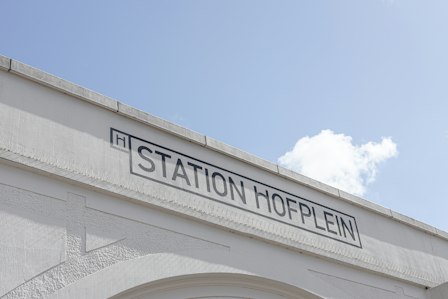
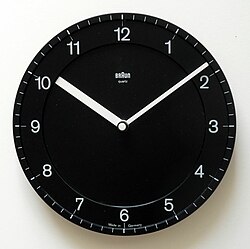
**Positioner CSS Variables:**

| Variable           | Type     | Default | Description                                                                            |
| :----------------- | :------- | :------ | :------------------------------------------------------------------------------------- |
| --anchor-height    | `number` | -       | The anchor's height.                                                                   |
| --anchor-width     | `number` | -       | The anchor's width.                                                                    |
| --available-height | `number` | -       | The available height between the trigger and the edge of the viewport.                 |
| --available-width  | `number` | -       | The available width between the trigger and the edge of the viewport.                  |
| --transform-origin | `string` | -       | The coordinates that this element is anchored to. Used for animations and transitions. |

### Popup

A container for the preview card contents.
Renders a `<div>` element.

**Popup Props:**

| Prop      | Type                                                                                   | Default | Description                                                                                                                                                                                  |
| :-------- | :------------------------------------------------------------------------------------- | :------ | :------------------------------------------------------------------------------------------------------------------------------------------------------------------------------------------- |
| className | `string \| ((state: PreviewCard.Popup.State) => string \| undefined)`                  | -       | CSS class applied to the element, or a function that&#xA;returns a class based on the component’s state.                                                                                     |
| style     | `CSSProperties \| ((state: PreviewCard.Popup.State) => CSSProperties \| undefined)`    | -       | -                                                                                                                                                                                            |
| render    | `ReactElement \| ((props: HTMLProps, state: PreviewCard.Popup.State) => ReactElement)` | -       | Allows you to replace the component’s HTML element&#xA;with a different tag, or compose it with another component.Accepts a `ReactElement` or a function that returns the element to render. |

**Popup Data Attributes:**

| Attribute           | Type                                                                       | Description                                                           |
| :------------------ | :------------------------------------------------------------------------- | :-------------------------------------------------------------------- |
| data-open           | -                                                                          | Present when the preview card is open.                                |
| data-closed         | -                                                                          | Present when the preview card is closed.                              |
| data-align          | `'start' \| 'center' \| 'end'`                                             | Indicates how the popup is aligned relative to specified side.        |
| data-side           | `'top' \| 'bottom' \| 'left' \| 'right' \| 'inline-end' \| 'inline-start'` | Indicates which side the popup is positioned relative to the trigger. |
| data-starting-style | -                                                                          | Present when the preview card is animating in.                        |
| data-ending-style   | -                                                                          | Present when the preview card is animating out.                       |

### Viewport

A viewport for displaying content transitions.
This component is only required if one popup can be opened by multiple triggers, its content change based on the trigger
and switching between them is animated.
Renders a `<div>` element.

**Viewport Props:**

| Prop      | Type                                                                                      | Default | Description                                                                                                                                                                                  |
| :-------- | :---------------------------------------------------------------------------------------- | :------ | :------------------------------------------------------------------------------------------------------------------------------------------------------------------------------------------- |
| children  | `ReactNode`                                                                               | -       | The content to render inside the transition container.                                                                                                                                       |
| className | `string \| ((state: PreviewCard.Viewport.State) => string \| undefined)`                  | -       | CSS class applied to the element, or a function that&#xA;returns a class based on the component’s state.                                                                                     |
| style     | `CSSProperties \| ((state: PreviewCard.Viewport.State) => CSSProperties \| undefined)`    | -       | -                                                                                                                                                                                            |
| render    | `ReactElement \| ((props: HTMLProps, state: PreviewCard.Viewport.State) => ReactElement)` | -       | Allows you to replace the component’s HTML element&#xA;with a different tag, or compose it with another component.Accepts a `ReactElement` or a function that returns the element to render. |

**Viewport Data Attributes:**

| Attribute                 | Type                                             | Description                                                                                                                                                                                                                        |
| :------------------------ | :----------------------------------------------- | :--------------------------------------------------------------------------------------------------------------------------------------------------------------------------------------------------------------------------------- |
| data-activation-direction | `` `${'left' \| 'right'} {'top' \| 'bottom'}` `` | Indicates the direction from which the popup was activated.&#xA;This can be used to create directional animations based on how the popup was triggered.&#xA;Contains space-separated values for both horizontal and vertical axes. |
| data-current              | -                                                | Applied to the direct child of the viewport when no transitions are present or the new content when it's entering.                                                                                                                 |
| data-instant              | `'delay' \| 'dismiss' \| 'focus'`                | Present if animations should be instant.                                                                                                                                                                                           |
| data-previous             | -                                                | Applied to the direct child of the viewport that contains the exiting content when transitions are present.                                                                                                                        |
| data-transitioning        | -                                                | Indicates that the viewport is currently transitioning between old and new content.                                                                                                                                                |

**Viewport CSS Variables:**

| Variable       | Type | Default | Description                                                                                                                                                                                                                                                           |
| :------------- | :--- | :------ | :-------------------------------------------------------------------------------------------------------------------------------------------------------------------------------------------------------------------------------------------------------------------- |
| --popup-height | -    | -       | The height of the parent popup.&#xA;This variable is placed on the 'previous' container and stores the height of the popup when the previous content was rendered.&#xA;It can be used to freeze the dimensions of the popup when animating between different content. |
| --popup-width  | -    | -       | The width of the parent popup.&#xA;This variable is placed on the 'previous' container and stores the width of the popup when the previous content was rendered.&#xA;It can be used to freeze the dimensions of the popup when animating between different content.   |

### Arrow

Displays an element positioned against the preview card anchor.
Renders a `<div>` element.

**Arrow Props:**

| Prop      | Type                                                                                   | Default | Description                                                                                                                                                                                  |
| :-------- | :------------------------------------------------------------------------------------- | :------ | :------------------------------------------------------------------------------------------------------------------------------------------------------------------------------------------- |
| className | `string \| ((state: PreviewCard.Arrow.State) => string \| undefined)`                  | -       | CSS class applied to the element, or a function that&#xA;returns a class based on the component’s state.                                                                                     |
| style     | `CSSProperties \| ((state: PreviewCard.Arrow.State) => CSSProperties \| undefined)`    | -       | -                                                                                                                                                                                            |
| render    | `ReactElement \| ((props: HTMLProps, state: PreviewCard.Arrow.State) => ReactElement)` | -       | Allows you to replace the component’s HTML element&#xA;with a different tag, or compose it with another component.Accepts a `ReactElement` or a function that returns the element to render. |

**Arrow Data Attributes:**

| Attribute       | Type                                                                       | Description                                                           |
| :-------------- | :------------------------------------------------------------------------- | :-------------------------------------------------------------------- |
| data-open       | -                                                                          | Present when the preview card is open.                                |
| data-closed     | -                                                                          | Present when the preview card is closed.                              |
| data-uncentered | -                                                                          | Present when the preview card arrow is uncentered.                    |
| data-align      | `'start' \| 'center' \| 'end'`                                             | Indicates how the popup is aligned relative to specified side.        |
| data-side       | `'top' \| 'bottom' \| 'left' \| 'right' \| 'inline-end' \| 'inline-start'` | Indicates which side the popup is positioned relative to the trigger. |
